Character Lock
Your hero's look is saved as one text block and pasted into every prompt, which is meant to keep the same face, costume and odd detail from panel to panel.
Hero Comic Prompt Studio review for Users : pick a hero, a joke engine and your AI tool, then copy the finished prompt. See how the steps work.
This Hero Comic Prompt Studio review looks at a web app that writes text prompts for AI image tools. It is made for social content creators, Etsy and print-on-demand sellers and KDP publishers who want one funny superhero that looks the same in every panel and on every product.
Disclosure: this page contains an affiliate link. If you buy through it, I may earn a commission at no extra cost to you.
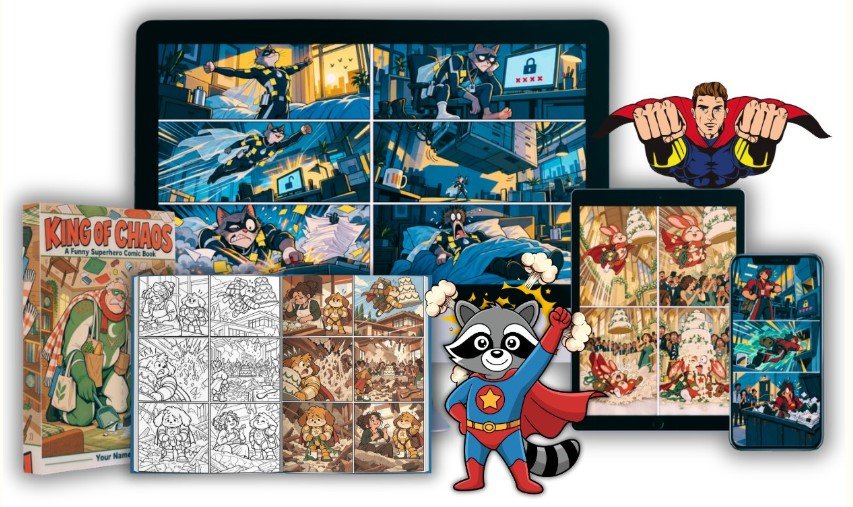
Hero Comic Prompt Studio writes the prompts. You paste them into ChatGPT, Gemini, Midjourney or another AI image tool, and that tool draws the pictures.
According to the sales page, the main problem is that AI tools can give you one picture, but rarely the same character twice. The app answers this with a feature called the Character Lock. You build your hero once (species, face, costume, cape, emblem, signature prop, three colours and one odd visual detail). The app turns those choices into a block of plain text that goes into every prompt word for word.
It also writes the joke. You choose a day job, a power, a flaw and a secret fear, and the app builds the gag around that hero. It is a prompt tool only: it does not generate images or video, and it does not post anything for you.
Your hero's look is saved as one text block and pasted into every prompt, which is meant to keep the same face, costume and odd detail from panel to panel.
Each engine builds toward a specific kind of punchline, so you start with a ready structure instead of a blank prompt box.
The app groups 8 social, 21 Etsy and print-on-demand, and 4 KDP formats, plus comic formats. Each one changes the layout and print instructions.
Styles are described by linework, shading and palette, never by an artist or studio name, so your whole shop can share one look.
The app can write 7 or 30 prompts at once, each with a different engine and gag, all using the same character.
A 902-entry name blocklist, soft warnings and combination alerts aim to reduce copyright risk. It is not legal advice.
The sales page describes three steps that take about sixty seconds per strip.
Pick a power and its catch, then a job, flaw and fear. The app draws up the look and creates the Character Lock. You do this once.
Take one of the four engines suggested for your hero, pick a format, and read the strip in plain English before you generate anything.
Say which AI tool you use and how much lettering you want, copy the prompt, and paste it into that tool.
This page does not include customer testimonials, because none were supplied. Instead, weigh these points on the official sales page:
Everything above about features comes from the seller's own sales page. This review has not independently tested the app.
$97
$17
Limited-time launch price, one-time payment, no monthly fees, instant access. Prices and terms can change, so check the official page.
The seller values these at $80 in total.
The seller says you can use it for a full 7 days. If it does not help you build a consistent character faster than you can by hand, you can email the vendor for a refund.
If your AI characters keep changing face, every strip and every product is a one-off, and you spend your time fixing panels instead of building a shop or feed around one hero. A reusable character gives people a reason to follow you or browse your whole range.
The sales page also says the launch price goes up when the launch window closes. It does not give a date, so check the official page for the current price.
No. It creates prompts. You paste them into your own AI image tool, such as ChatGPT, Gemini or Midjourney.
No. Everything is a still image, and the app does not post anything for you.
The Character Lock is designed to keep it consistent by repeating the same description in every prompt. The final result still depends on your AI tool.
You do not scroll through all of them. The app suggests four that fit your hero and explains why.
No. You can make a week (7) or a month (30) of prompts in one click.
Not always. The seller says AI tools can get spelling wrong, so check lettering before you sell. Midjourney gets the lettering removed from its prompts.
Up to 5 devices, and you can free them up yourself, according to the sales page.
No. The sales page says the front-end is complete on its own. The upgrades are optional.
Please verify licence terms and technical requirements on the official sales page. The product also states that it reduces copyright risk and is not legal advice.